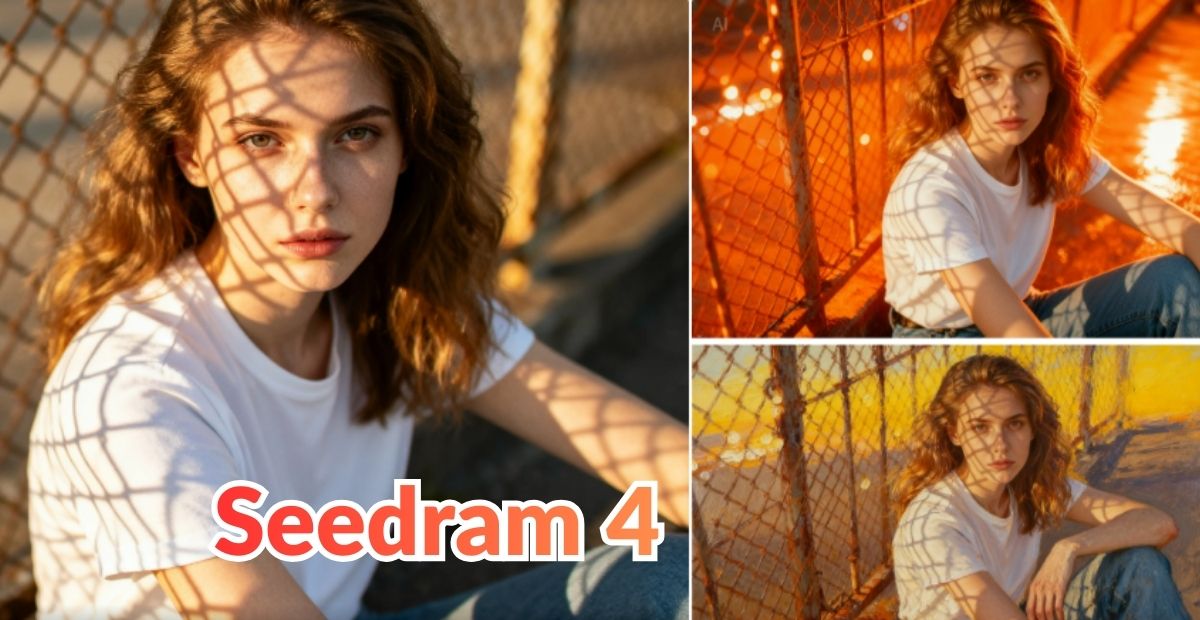
In the world of visual content creation, quality and speed often fight each other. You could spend hours — or even days — crafting the perfect image that captures your idea, or you could compromise on quality to move fast. Enter a new force that offers both: ByteDance’s Seedream 4.0. Now that it’s available through invideo, creators have a powerful combo: lightning‑fast, high‑resolution image generation + smooth video workflows — all in one place.
What is Seedream 4 — and Why It’s a Game Changer
Seedream 4 is the latest generation AI model from ByteDance’s Seed team. It blends text-to-image generation and image editing into one unified architecture. That means in a single tool you can: generate images from scratch, edit existing images, and maintain a consistent style across multiple outputs.
Here are some standout features:
- Ultra‑high resolution — outputs up to 4K. Great for print, marketing, ads, or any use where clarity matters.
- Speed — generation is fast (2K images in under 2 seconds). That cuts wait time and keeps creativity flowing.
- Multi‑reference & batch support — you can input reference images and get multiple outputs at once, all consistent in style and composition. Great for series, campaigns, and variations.
- Unified generation + editing — no need to switch between different tools for creation vs editing. Seedream 4.0 handles both.
- Improved prompt understanding & layout/text handling — better at reading your prompt intent, rendering text, layouts, and complex scenes with fidelity.
In short: Seedream 4.0 isn’t just a toy for quick images — it’s built with professional workflows in mind. For agencies, marketers, creators, and storytellers, that level of quality + flexibility is a huge leap forward.
What It Means That Seedream 4 Is Now Available on Invideo
Merging Seedream 4 with invideo changes the game. Invideo has long been a go-to platform for video creation and editing — now it becomes an all-in-one creative studio with AI‑powered image generation built in. Here’s how this integration helps creators:
- You can generate high-quality visuals (artwork, product images, backgrounds, scene mockups) directly within the video workflow — no need to bounce between separate tools.
- You get speed + quality + convenience. For example, you might generate a product-shot image via Seedream 4 (4K, well‑lit, styled) and immediately drop it in your video timeline in invideo.
- You maintain visual consistency across assets — useful for brand campaigns, product videos, ad series, or multi‑platform posts.
- It lowers the creative and technical barrier — no need for a separate design or photo studio setup. Even solo creators, small teams, or non‑designers can produce professional visuals quickly.
- You can iterate fast — test different visuals, moods, backgrounds, or styles in minutes, without needing to reshoot or hire a designer.
For many creators, this means saving hours while still delivering high-quality visuals and videos.
Use Cases — Where Seedream 4 + Invideo Really Shines
| Use Case | What You Get |
| Product promos & e‑commerce videos | Create clean product visuals, backgrounds, and stylized shots — ready to animate, add text/voice‑over, and publish. |
| Marketing & ad campaigns | Generate ad visuals, thumbnails, and video backgrounds with consistent brand style and high resolution. |
| Social media reels/shorts | Quickly build eye‑catching visuals, transitions, overlays — great for quick content without heavy shoot/edit. |
| Storyboards / Pre‑visualization | Visualize scenes or video flow with AI‑generated frames before shooting or animating. |
| Explainer videos/tutorials | Use high‑resolution visuals + custom backgrounds to make clean, professional explainer content. |
| Content for blogs, posts, websites, ads | Create matching visuals for articles or landing pages + video versions — ensuring brand cohesion. |
Because Seedream 4 supports multi‑reference and batch generation, you can create multiple visuals for the same project — e.g., different angles, variations, or versions — and slot them directly into invideo. That level of speed and flexibility can radically shorten production timelines.
Seedream 4 vs Other Image‑AI Tools: Where It Stands Out
While many image‑AI tools exist, Seedream 4 differentiates itself in a few important ways:
- It offers both generation and editing in one model — not just random image creation, but also precise edits, background swaps, touch-ups, and layout changes.
- Its 4K / high-res output is ideal for professional work — many AI tools max out at low resolution or produce images only good enough for quick social posts.
- Its multi-reference + batch support makes large projects or campaigns easier to manage — essential for consistent brand visuals across assets.
- Speed is a real advantage — fast generation keeps the creative flow, especially when you’re testing many ideas.
In short, where older or simpler image‑AI felt experimental or patchy, Seedream 4.0 feels production‑ready. And when paired with a video workflow (like invideo), it becomes a powerful tool for creators, marketers, and agencies.
Tips to Get the Most Out of Seedream 4 Inside Invideo
To make the most of this new workflow, here are a few practical tips:
- Use clear, detailed prompts — the more precise your text prompt, the better the result. Mention lighting, style, mood, and composition if possible.
- Upload reference images — If you have brand colours, product photos, or a style guide, use reference images so Seedream keeps visuals consistent.
- Generate multiple variants — Use batch generation to explore different versions — then pick the best to animate or edit in invideo.
- Combine AI visuals with real media carefully — If mixing AI‑generated images and real video, ensure colour grading and style match for consistency.
- Use Seedream for backgrounds, cuts, and placeholders first — Before shooting or sourcing real footage — especially helpful in pre‑production or storyboard stage.
- Use 4K outputs for high-quality output — especially for ads, product promos, or anything that might be viewed on large screens.
- Iterate and A/B test — Test different styles or visuals quickly — perfect for marketing campaigns to find what performs best.
Why This Integration Marks a New Milestone for Creators
The combination of Seedream 4’s powerful image‑AI and invideo’s video creator app marks a shift in how visual content is made. No longer is there a rigid separation between design, editing, and video production. Instead, creators can now imagine, generate, edit, and publish — all in a streamlined, AI-aided workflow.
For small teams, solo creators, digital marketers, social media managers, and even enterprise design teams — this translates to faster turnaround, lower costs, and creative freedom.
With Seedream 4 now available on invideo, creative bottlenecks are dissolving, and the path from idea to final video is shorter than ever.